The process · a how-to in Marc’s own words
Your Thinking Is the Context
“You can do work past that thin behavioral layer and guide the model in the direction you want through your human context. By that I mean far more than just feeding AI content. I mean you. Your decisions, your judgement, your skills, your intent.”— Context Is All You Need, Rhetorica
Before you build
“What it takes to get started”
- “Access to at least one $20 a month plan, preferably Claude. Having free or similar paid accounts with both OpenAI and Gemini is also helpful.”
- “About an hour or so to set up Claude Code and attach it to some free databases through connectors.”
- “A sense of creativity and purpose.”
— Context Is All You Need, Rhetorica
How-to № 1 · from Context Is All You Need
Remixing Activities With Code
“I’ve used the Pause Before You Prompt activity with my students to help them think and reflect about motivations before turning to AI for my in-person classes, but I never had success adapting it to a fully online course. Claude Code changed that for me.”
Decide how it should look
“Decided how I wanted the activity to look. I used Gemini and design styles from Dribble to create a digital image of the activity petal.”
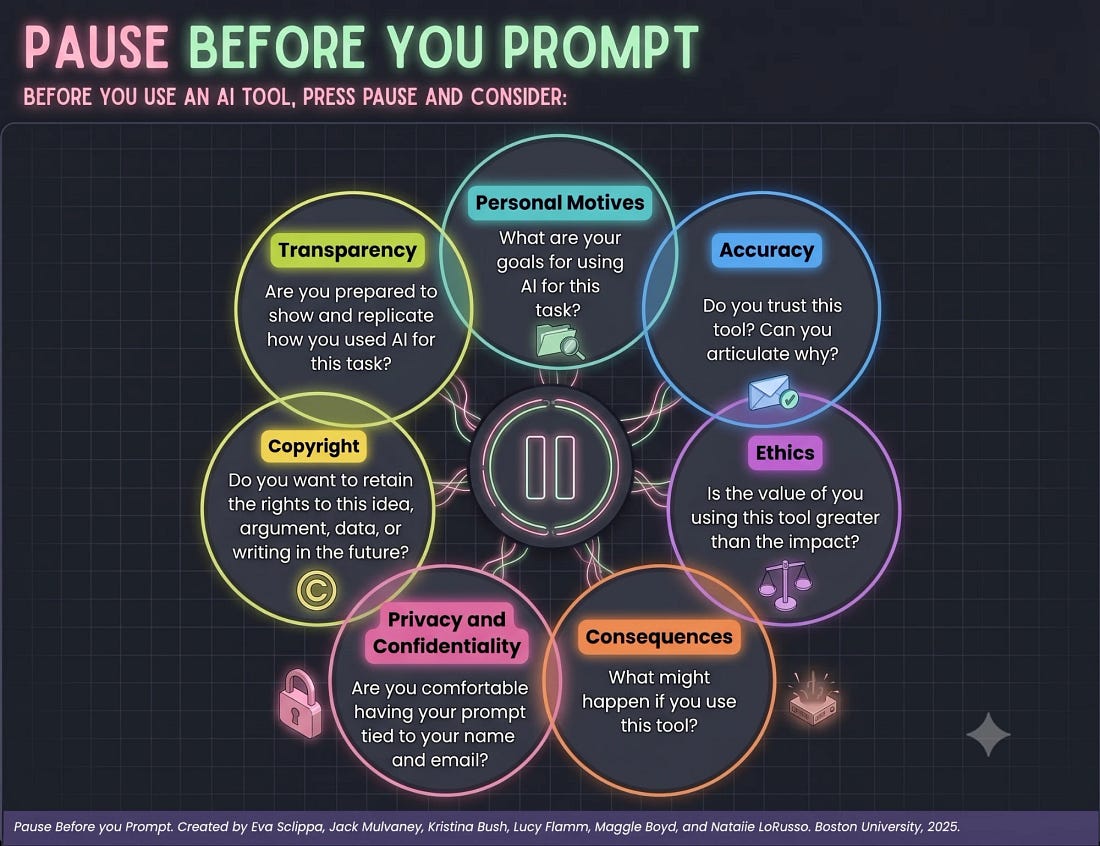
Decide how it should work
“Once I was satisfied with the look, I then had to think about how this would function for my students. I wanted them to ground their choices by including critical articles within each petal.”
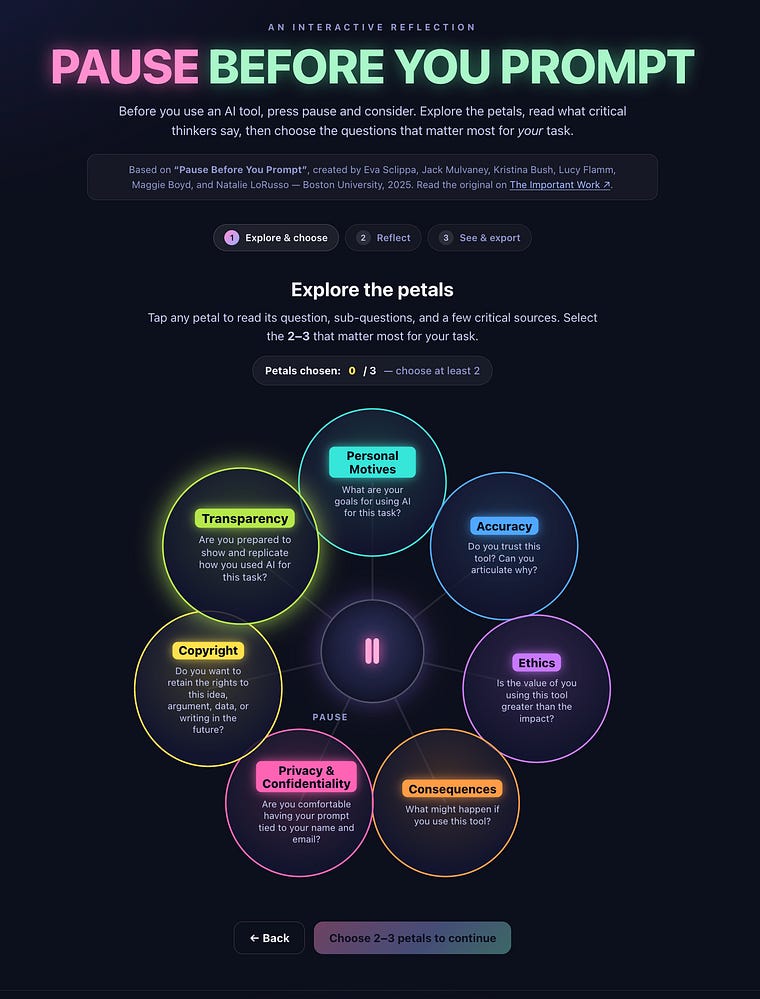
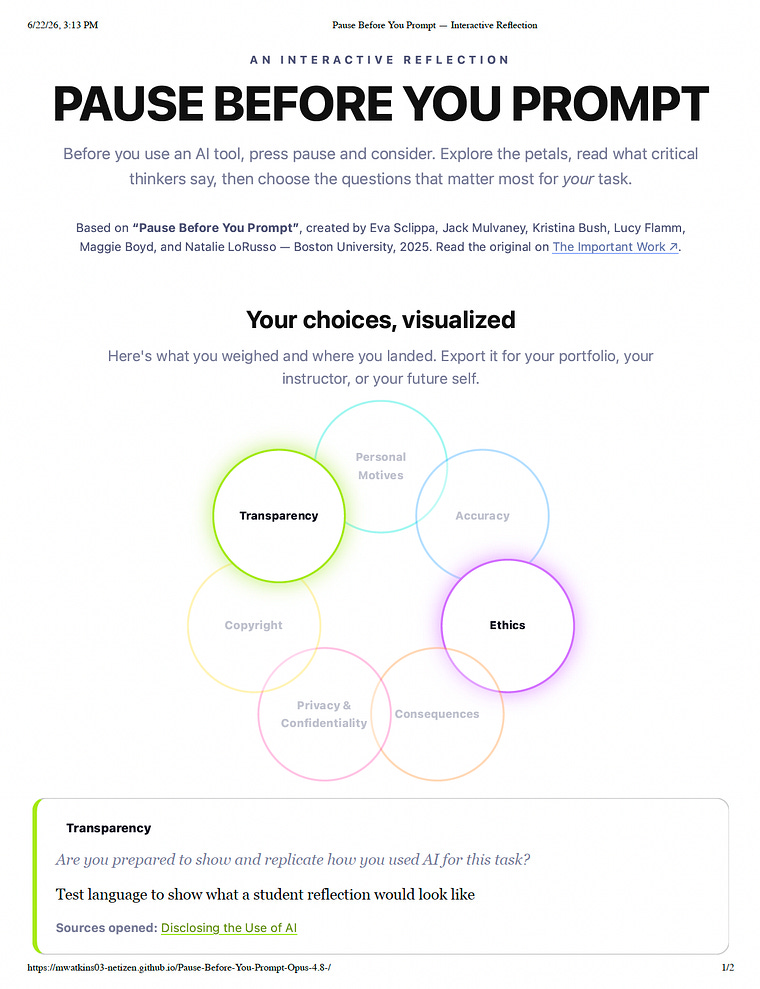
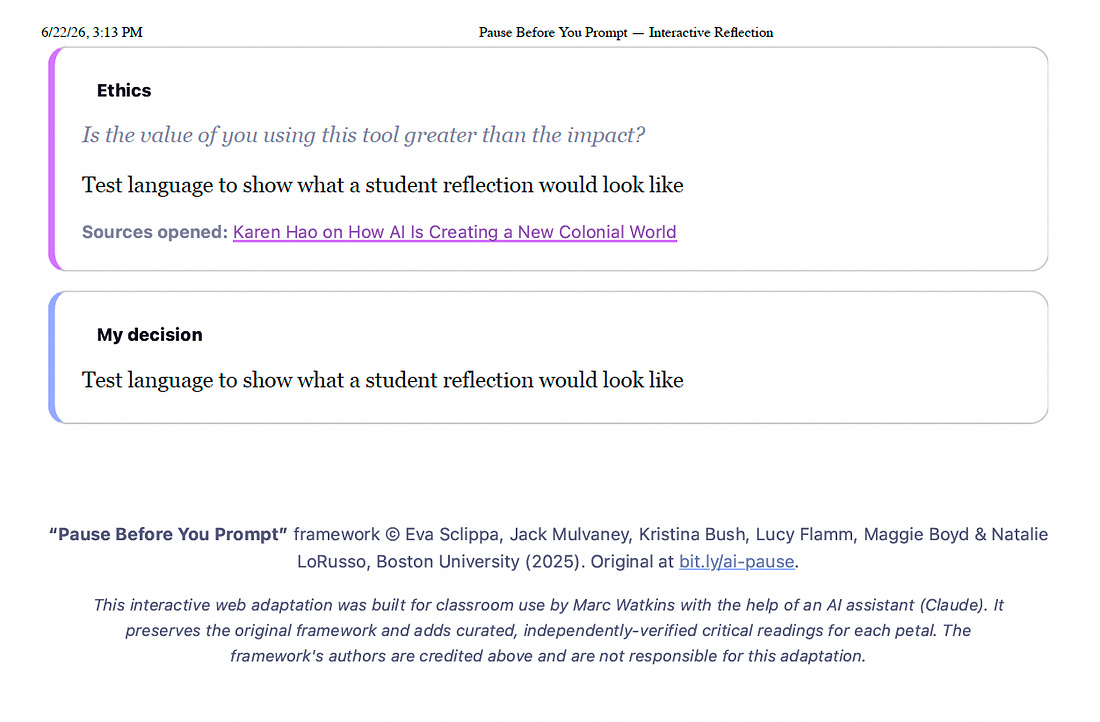
“Importantly, this is a prototype, not a finished product. It needs to go through several rounds of accessibility checks and give consideration to the audience first. What’s nice is that while AI was used in the construction of the activity, there’s no AI actively deployed within it.”
The cautionary tale: don’t let AI drive
With The Power of a Prompt, “I also made the mistake of letting AI do too much of the prompting, and it shows in the final design… The end result isn’t terrible, but it reflects some key problems with letting AI take too much control. For one, there are simply too many activities embedded on a single site page.”
How-to № 2 · from Context Is All You Need
Making the Static Interactive
“I’m a fan of using polls and surveys with my students. Yet, I often find the software many vendors sell to be really expensive, not easy to use, and lacking customizable features. Out of frustration, I tasked Claude Code to build me a poor-man’s version of the popular Poll Everywhere software.”
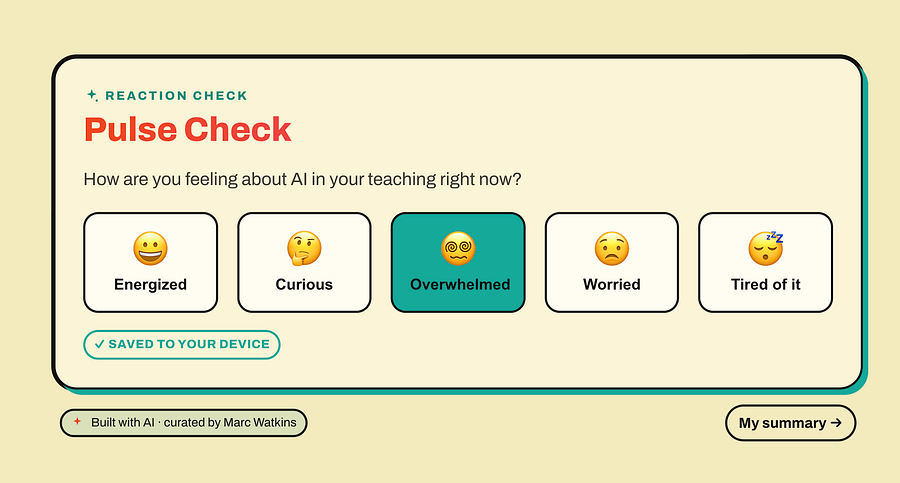
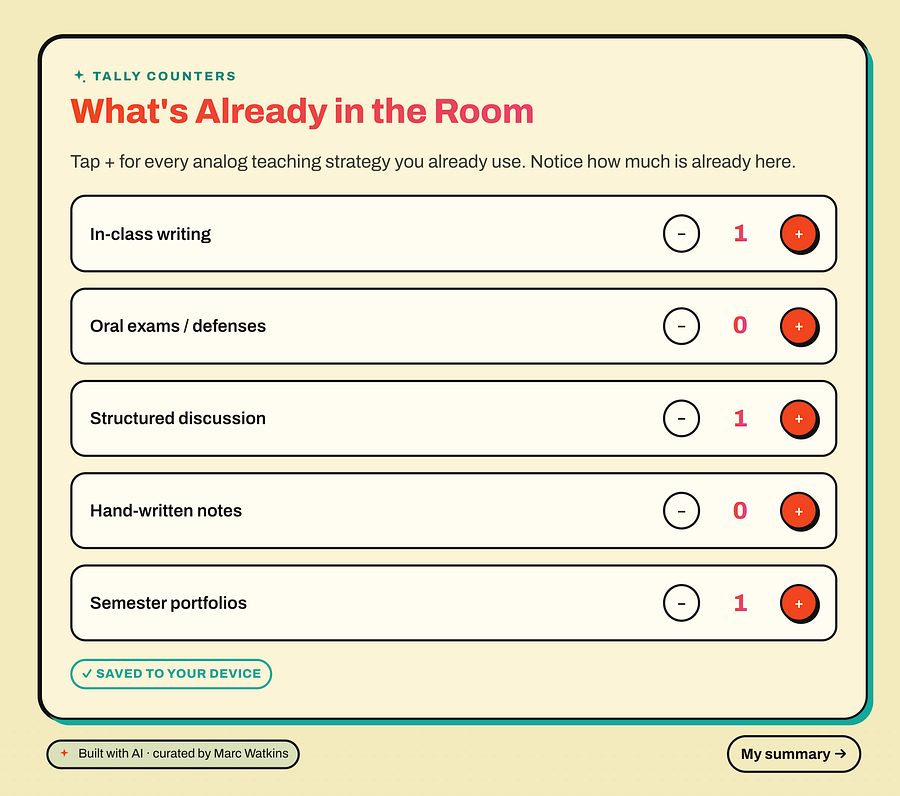
“What makes this so useful to me is all the things I forget I can build and add after the fact… AI coding feels less novel and far more practical. When I showed Derek Bruff what Claude could do, he used it to rebuild the landing page of his website!”
How-to № 3 · from Context Is All You Need
Creating Galleries and Feedback Forms
“Claude Code does a decent job of making something functional, but like the other experiments, you really have to work to create something more thoughtful. Again, you are the context here. Here’s the process.”
“Stylized It”
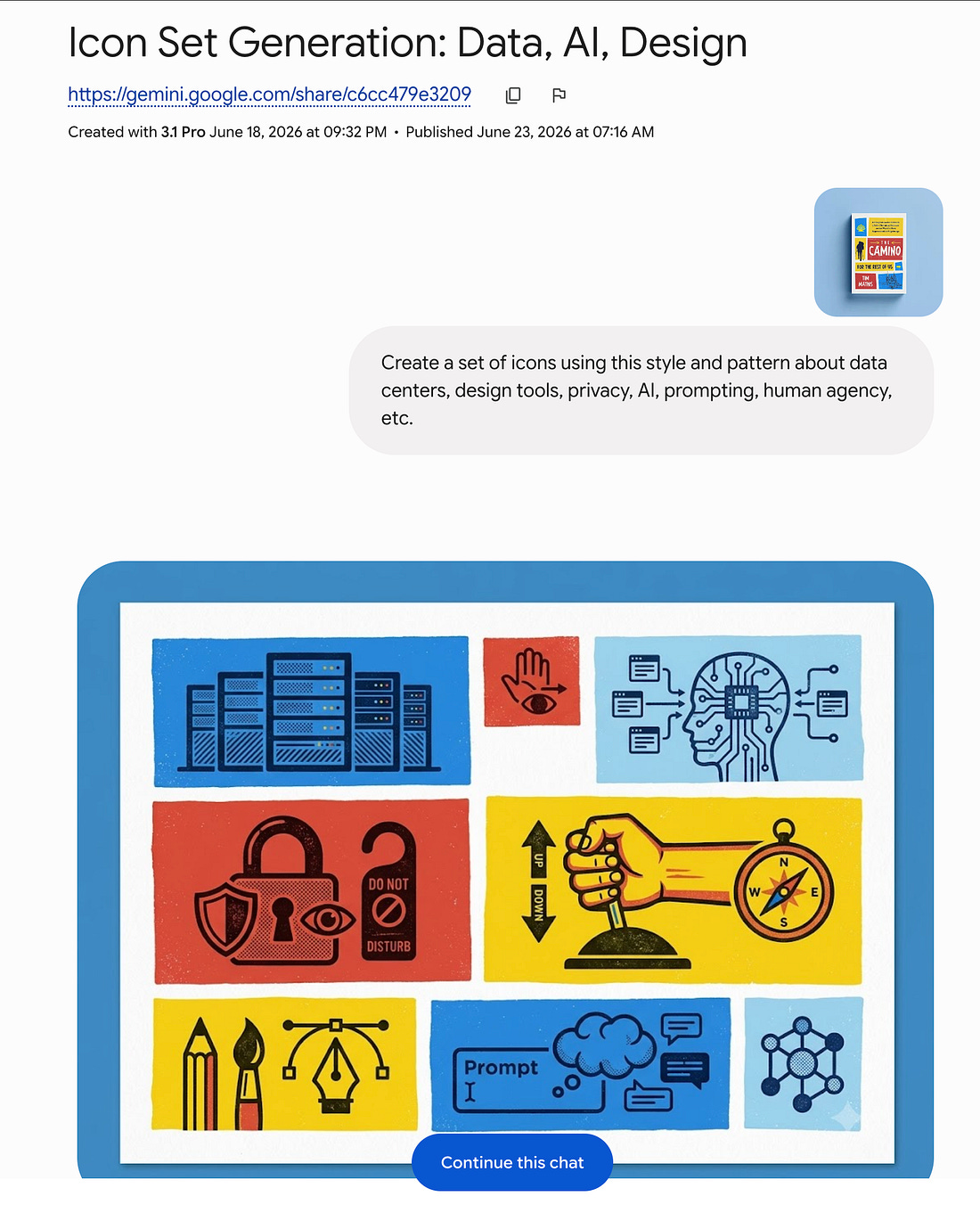
“I first found a design I liked on Dribble, then used Gemini to work through the style I wanted by creating some icons around it using the prompt:”
“Create a set of icons using this style and pattern about data centers, design tools, privacy, AI, prompting, human agency, etc.”
“Mapped Out How It Would Function”
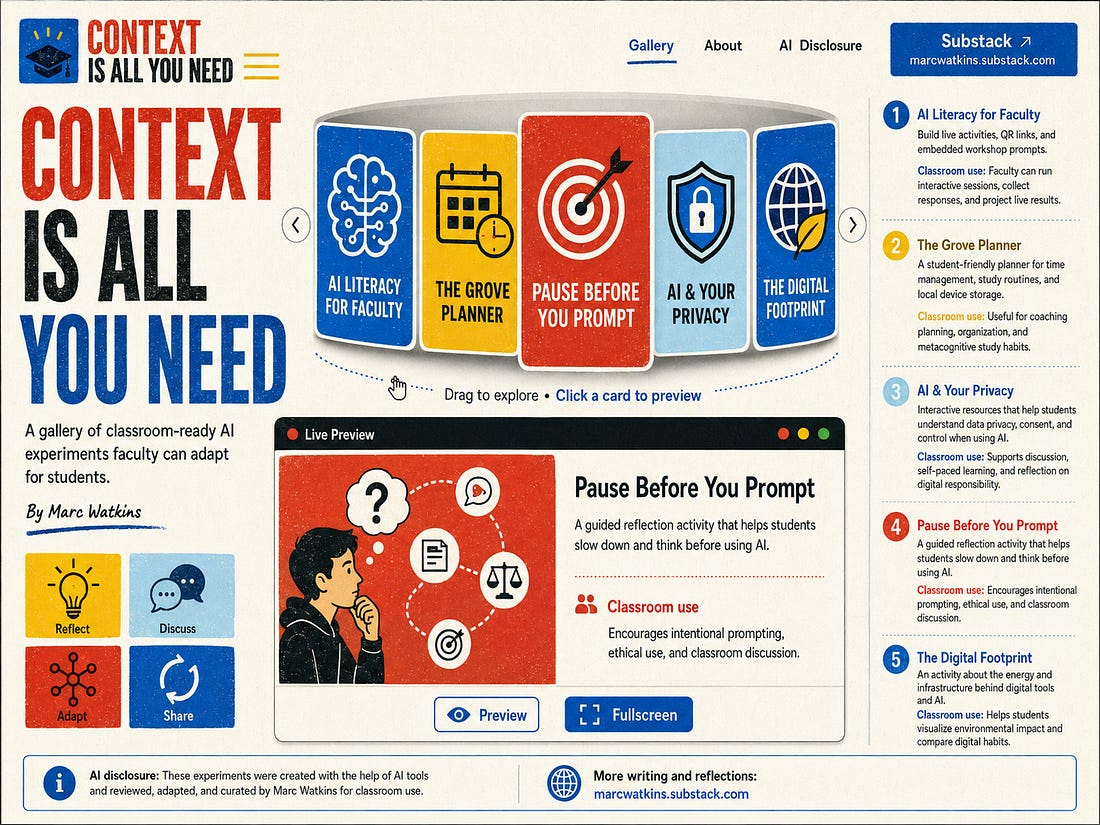
“I then used ChatGPT to map out how I wanted the gallery to function. Again, I wanted something more unique than the default output Claude Code would produce, so I had to use my imagination and language to articulate what I wanted.”
“Create Unique Icons for the Site”
“Think about this as layers in a cake. Stylizing the site is one layer. Functionality is another. Each layer adds depth to the design and creates distance from the generic output into a more intentional design.”
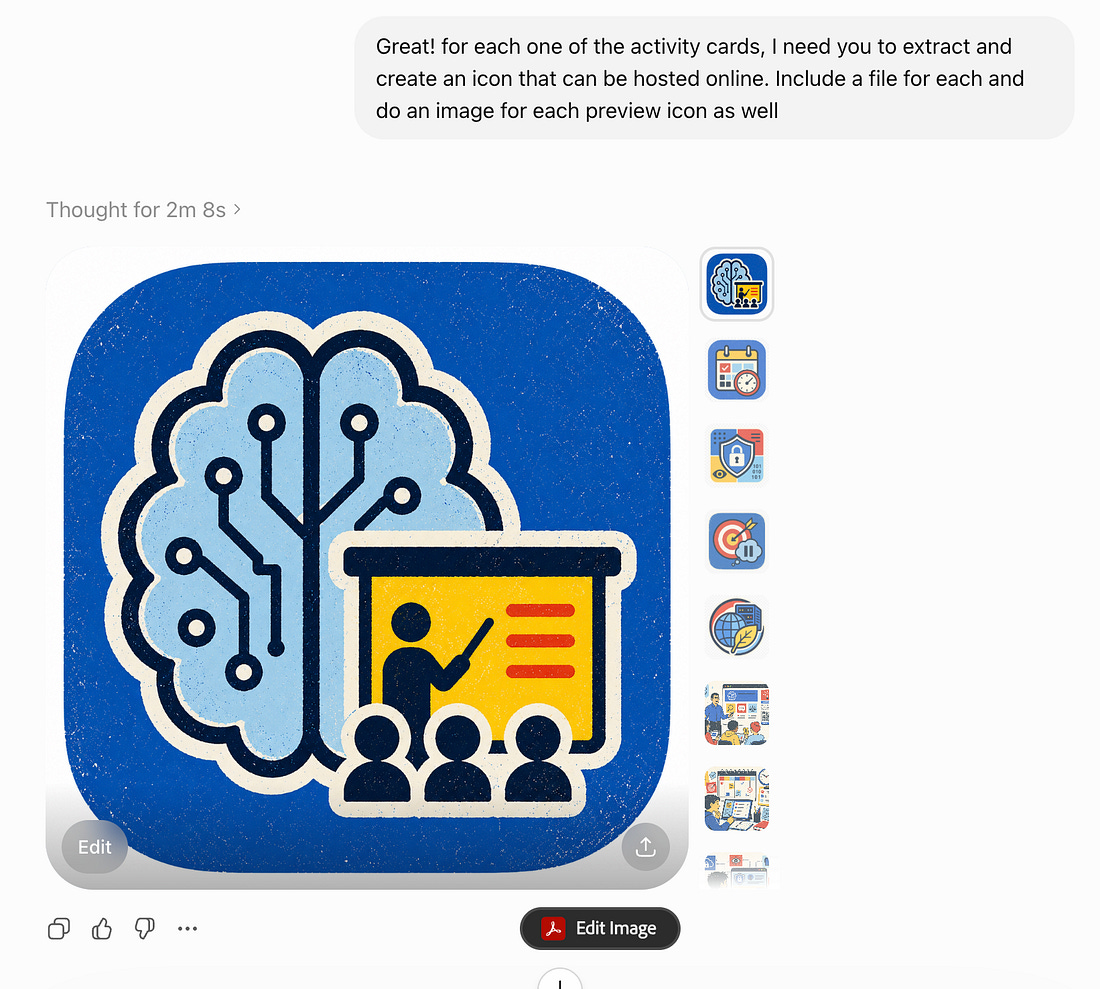
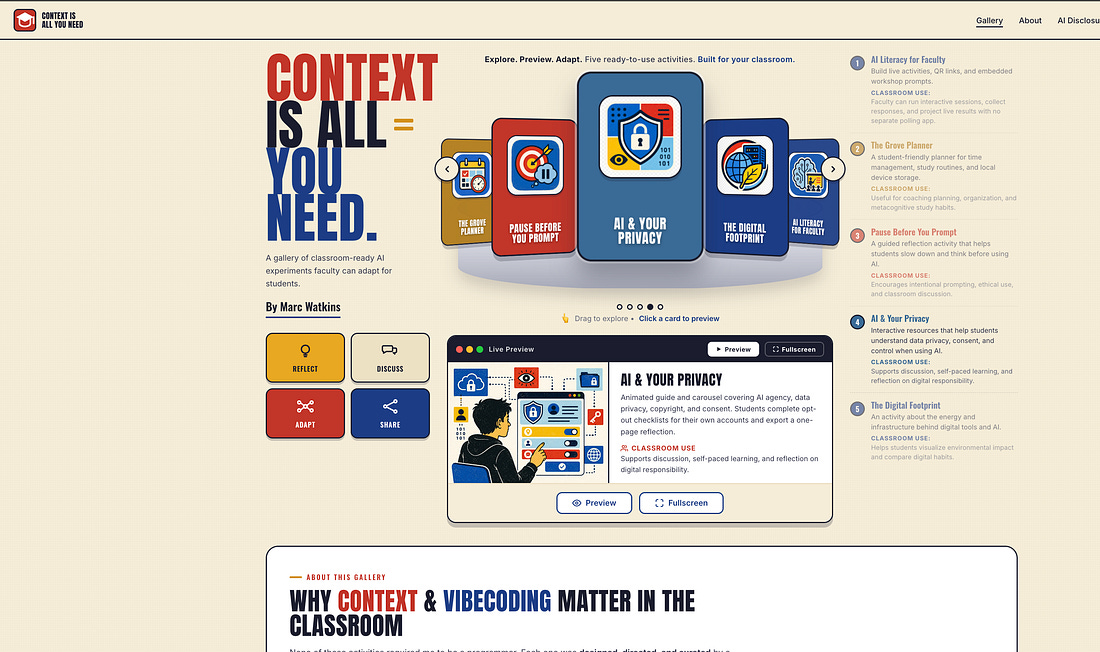
“Built The Site”
“I uploaded all the files from steps 1–3, including my prompts, into Claude Code and had it build a webpage for me. Nearly a 1000 words from me, over a dozen image and style files, and half a dozen links acted as the foundation that created the site.”
Close the loop with feedback
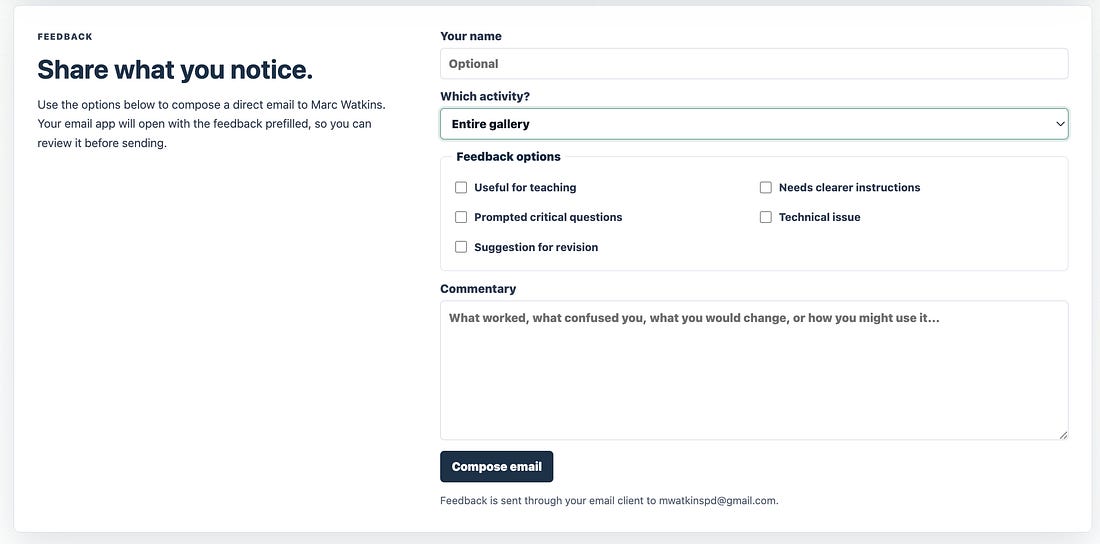
“But what use is a gallery without a feedback system where users can tell me which design or model they prefer? I was able to generate a simple feedback system directly within the web app via Claude Code.”
Watch the builds in action
See it moving, not just described
Every demo video from the essays now lives in the screening room — and the most relevant demos also appear inside their gallery pages, next to the builds they show.